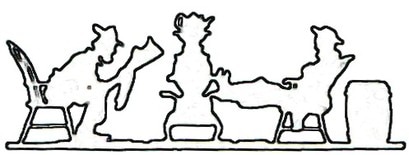
Select the image on the previous page and print it using a laser printer. Laser-printed images work better for decoupage as the toner adheres well to surfaces.
Prepare the Wooden Surface:
Ensure that your wooden square is clean and free of any dust or debris.
Optionally, you can sand the wood surface to create a smoother finish.
Cut Out the Image:
Carefully cut out the printed image using scissors or a craft knife.
Arrange the Cut-Out Image:
Position the cut-out image on the wooden square.
Apply Mod Podge to the Wood:
Use a foam brush or paintbrush to apply a thin layer of Mod Podge to the area where you'll be placing the image. Cover the entire surface evenly.
Attach the Image:
Carefully place the cut-out image onto the Mod Podge-covered area. Smooth out any bubbles or wrinkles using your fingers or a brayer.
Seal the Image:
Apply a thin layer of Mod Podge over the top of the image to seal it onto the wood. Ensure that the entire image is covered, and the edges are well-sealed.
Allow the decoupage to dry completely. This may take a few hours.
Painted laser cut wood flowers wall hanging
Craft a Tiger Lily Flower Pattern
Prepare the Surface: Before painting, ensure the birchwood surface is clean and free from dust or debris.
Prime the Surface (Optional): While birchwood typically takes paint well, you can use a wood primer to enhance adhesion and create a more even surface.
Select Acrylic Paints: Choose acrylic paints in the colors you desire. Acrylic paints are versatile and adhere well to wood surfaces.
Painting: Start by applying a base coat of acrylic paint to the birchwood.
Adding Details: Once the base coat is dry, you can add details to your design.
Allow to Dry: Allow the paint to dry completely between layers and before handling the piece to avoid smudging or smearing the paint.
Seal the Paint (Optional): To protect the paint and add a glossy or matte finish, you can apply a clear acrylic sealer. .
Display or Use: Once the paint and sealer are completely dry, your laser-cut birchwood piece is ready to be displayed or used in your project!